

Classic game, endless fun.
How to play
Learn the game in a minute
The goal
Take turns placing your mark on the board. The first player to complete an unbroken line of marks across a row, column or diagonal wins. If the board fills up with no line, it’s a draw.
-
Start a game
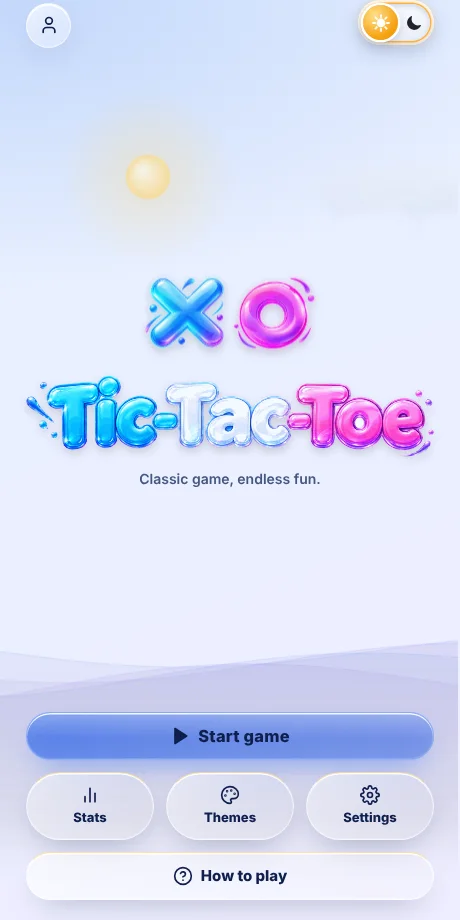
Tap Start game on the home screen. Stats, Themes and Settings sit right below it.
-
Pick a mode
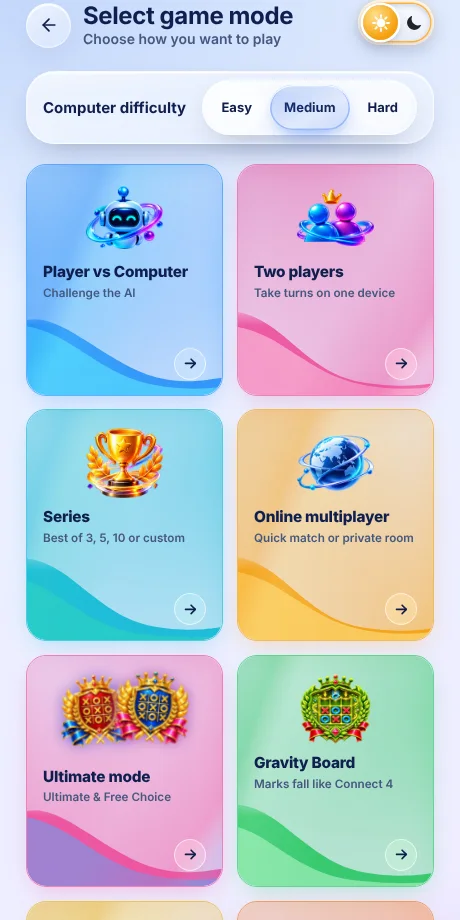
Computer: you are X; choose Easy, Medium or Hard. Friend: share one device. Series: first to win the most games. Online: play another person. Ultimate mode opens the special boards, and Gravity Board, Random Rotation and Infinite: Vanishing Marks are cards of their own.
-
Choose a board
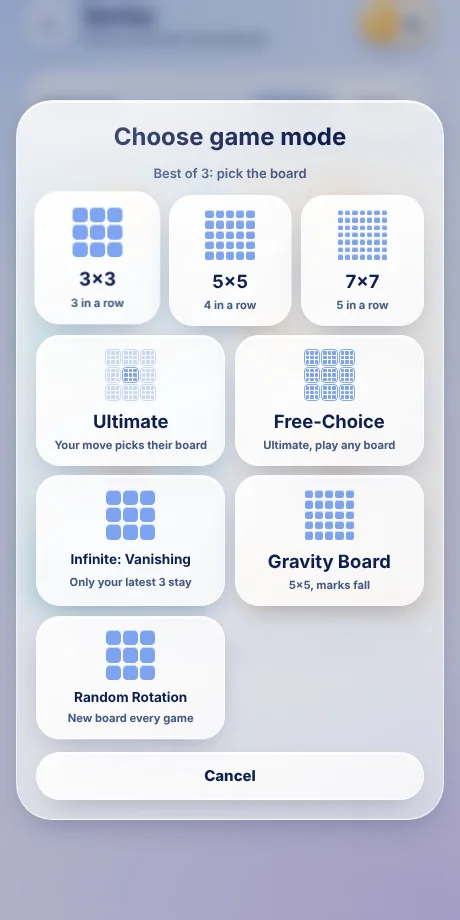
Computer and Friend games offer 3×3 (3 in a row), 5×5 (4) and 7×7 (5). Series and Online also offer every special board: Ultimate, Free-Choice, Infinite: Vanishing Marks, Gravity Board and Random Rotation.
-
Make your move
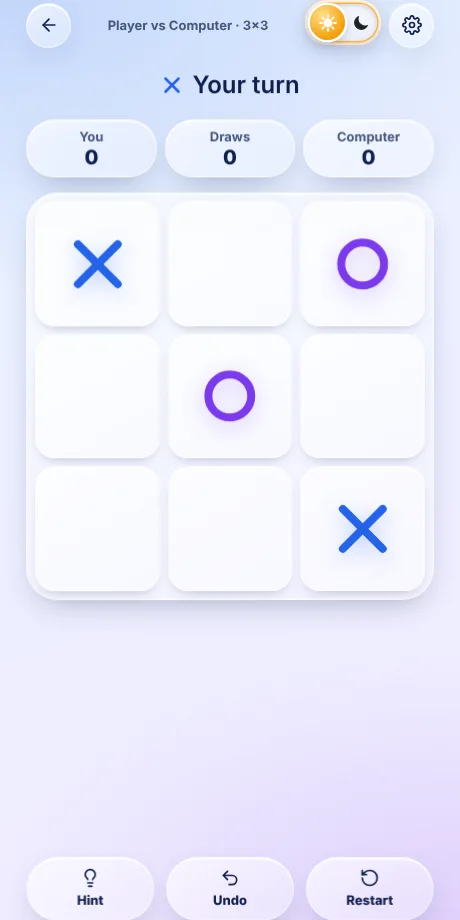
Tap an empty square. The loser starts the next game (after a draw the other player does), in every mode. Use Undo or Hint on 3×3.
-
Ultimate and Free-Choice
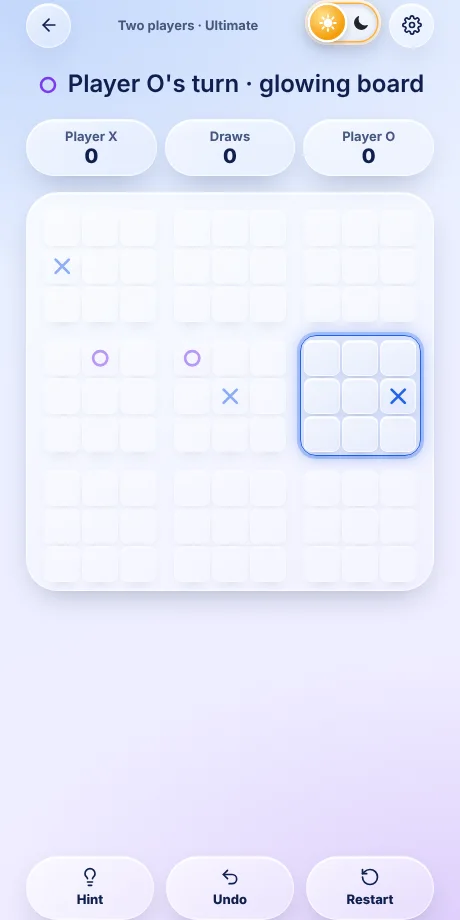
Nine small boards make one big board. Win a small board with 3 in a row, then win three small boards in a row to win the game. If every small board closes and nobody has a line, it is a draw.
Ultimate: the square you play decides which small board your opponent must play in next (the glowing one). If that board is already won or full, they may play any open board.
Free-Choice: same goal, but you may always play in any open board.
-
Ultimate mode and special boards
Ultimate Board and Free Choice live on the Ultimate mode page. When you tap Ultimate Board, Free Choice, Gravity Board, Random Rotation or Infinite: Vanishing Marks, a popup shows its logo and rules and asks whether to play the Computer or a Friend. A loading screen then repeats the rules before the game starts.

-
Gravity Board
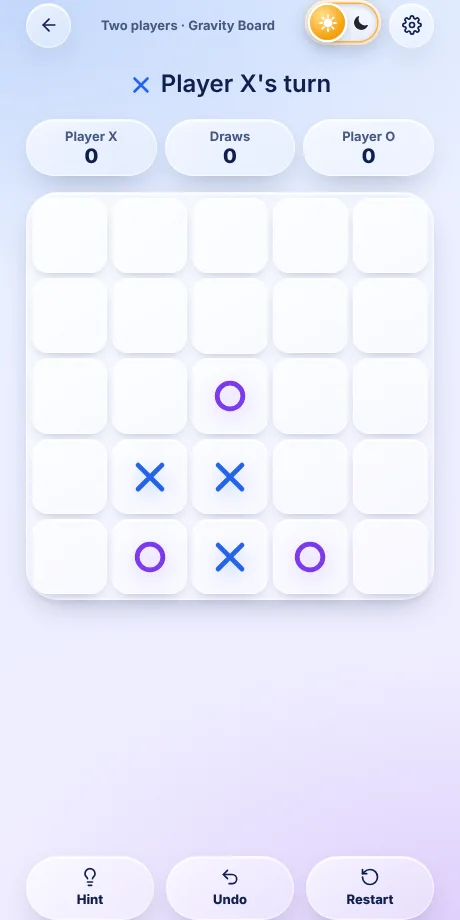
A 5×5 board where marks fall to the lowest empty cell of the column you tap, like Connect 4. Get 4 in a row. Plan ahead: the cell above your move becomes available to your opponent.
-
Infinite: Vanishing Marks
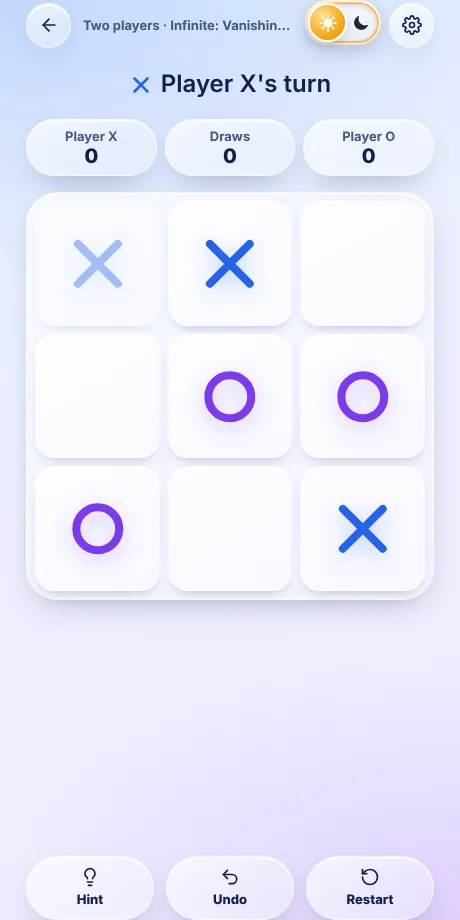
On a 3×3 board each player keeps only their latest 3 marks. Placing a 4th erases your oldest, which is shown faded. Games never end in a draw.
-
Random Rotation
A best-of-5 match where every game uses a different board picked at random from Classic, 5×5, 7×7, Ultimate, Free-Choice, Vanishing Marks and Gravity. A loading screen names each board before it starts.

-
Play a series
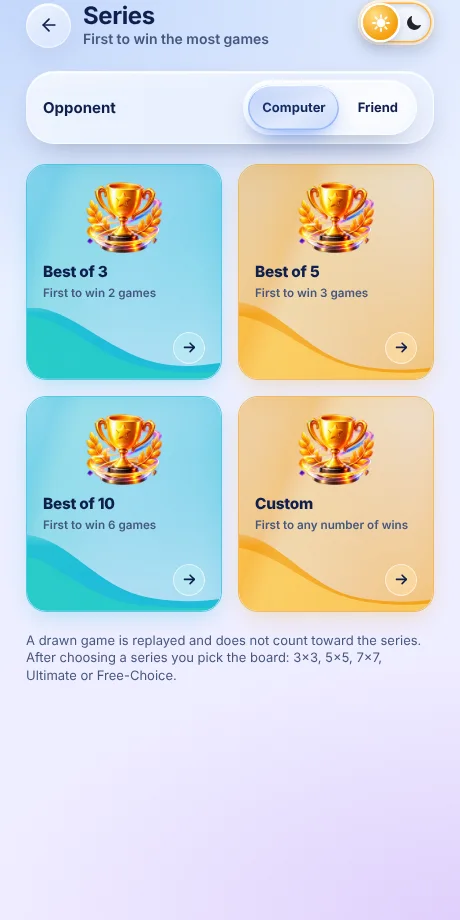
On the Series screen choose a length, then a board. The first player to reach the needed wins takes the series. Drawn games are replayed and do not count; the first move alternates every game.
- Best of 3: first to 2 wins.
- Best of 5: first to 3 wins.
- Best of 10: first to 6 wins (more than half), so it can never end level.
-
Custom series
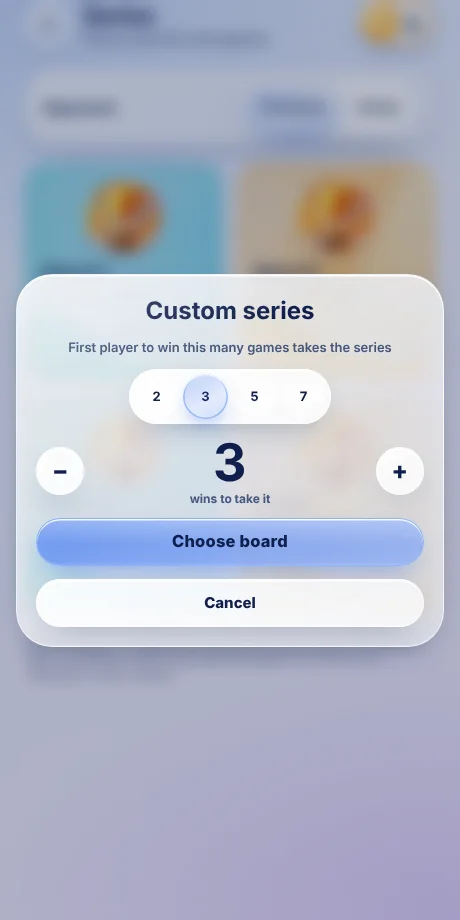
Tap Custom and set first to N (2 to 10). The first player to win N games takes the series, for example first to 4 means 4 wins. Offline you can use it against the computer or a friend; online it is available in private rooms.
-
Win, lose or draw
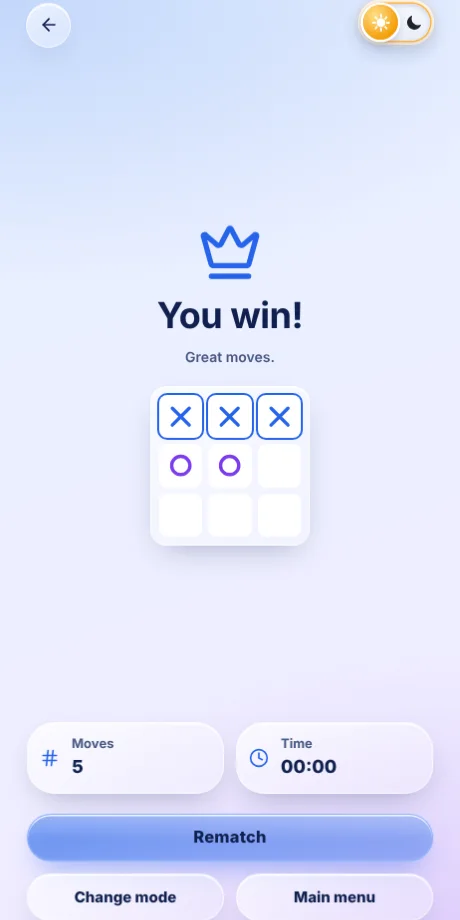
Complete your line first to win and earn the crown. If the other side wins you get a friendly “Well played” and can tap Rematch (or Next game in a series). A full board with no line is a draw.
-
Play online
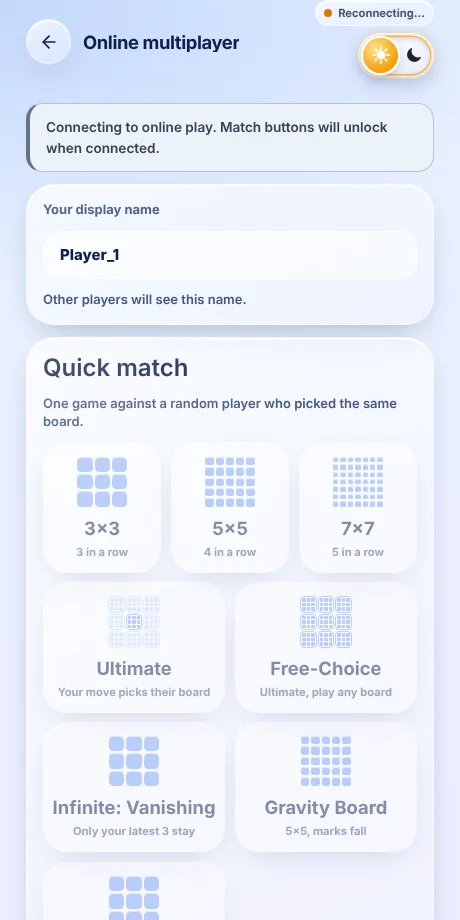
The game connects to the server as soon as you open it, with or without an account, and shows Connected at the top. To start matchmaking you need a username: tap Add username on the Online screen (or open Profile). Quick match plays one game and Series plays Best of 3, 5 or 10. Matchmaking is explained below.
-
Private rooms and custom series
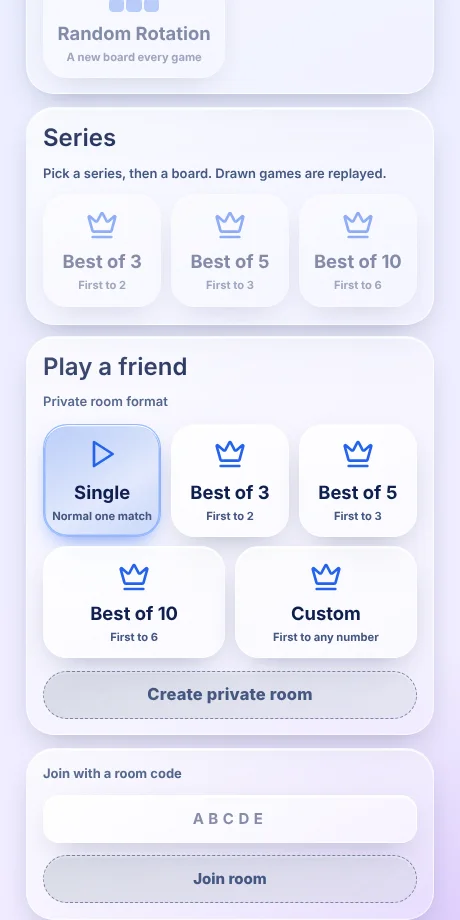
Under Play a friend choose Single, Best of 3, 5, 10 or Custom, pick a board, then Create private room. Share the 5-letter code or invite link and your friend taps Join room.
-
Stats and history
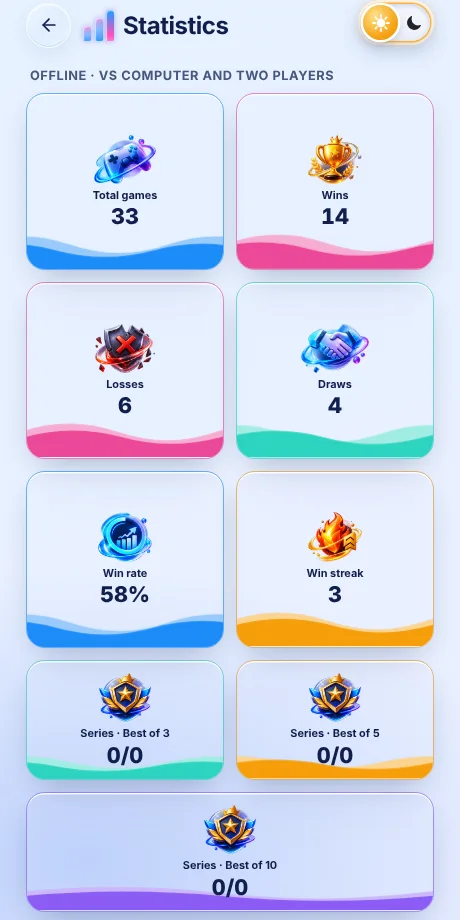
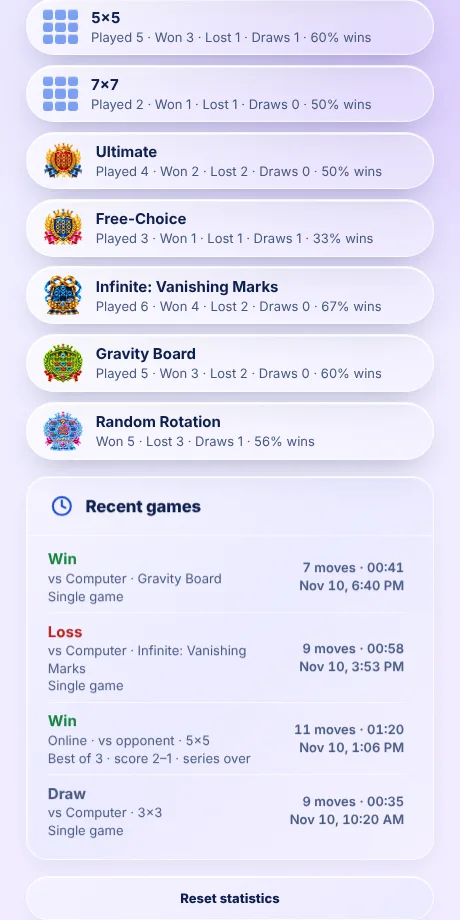
Stats keeps wins, losses, draws and series records, separately for offline and online play, plus a By game mode list with the record for every board (Random Rotation shows won, lost, draws and win rate). Stats are saved in this browser: clearing your browser data erases them, unless you are logged in, in which case they are also saved to your account.
-
Recent games
Each game in Recent games shows the result, the mode (vs Computer, Two players or Online with the opponent’s name), the board, the series and its score, moves, time and date.
Online matchmaking
- Quick match (one game): you wait in a queue and are paired with the first other player who picked the exact same board. 3×3, 5×5, 7×7, Ultimate and Free-Choice are separate queues; they never mix.
- Series (Best of 3, 5 or 10): you are paired only with a player who chose the same length and the same board. Best of 5 on Ultimate meets only Best of 5 on Ultimate, and Free-Choice has its own queue.
- Custom series is not matched automatically, so strangers never end up with different rules. Use Play a friend: create a private room with the Custom format and share the code.
- Username needed: without one the match buttons stay locked and the screen says “Add a username to play”. Names must be unique, 3–16 letters, numbers or _, and clean language. A name unused for about 90 days becomes free again.
- The player who was waiting plays X; the one who joined plays O. Tap Cancel to leave the queue.
- Series scoring: drawn games are replayed. A series ends when someone reaches the needed wins, or when a player runs out of time or leaves.
- Clock and connection: each turn is timed (30 seconds by default); if it runs out a random legal square is played. If you disconnect you have about 45 seconds to return to the same seat. Leaving a game counts as a loss.
- Rematch keeps you in the same room: another game, the next game of the series, or a new series once one is decided.
Account, Player ID and recovery
- An account is optional. Open Profile and tap Create account / Log in. You get a permanent 10-digit Player ID; your username and password are your own choice.
- While logged in, your stats and settings follow you to other devices. Log in with your Player ID and password.
- On Profile, the copy icon copies your name and Player ID, and the phone icon saves your Player ID card as an image on your device. Keep it private: anyone with your details can log in as you.
- Create / replace recovery code (small button, bottom right of Profile) gives a one-time code that resets a forgotten password. Each use makes a new code. Lose both and the account cannot be recovered.
- Profile shows your username, gender, Player ID and Log out only when you are logged in. Accounts unused for about 90 days are deleted after a 7-day grace period.
Stats and history
- Series records count finished series: won/played for Best of 3, 5, 10 and Custom (all custom lengths together). Offline series count only against the computer.
- Recent games lists your last 20 games: result, mode, board, series and score, moves, time and date. Online games show Online · vs name.
Quick tips
- On 3×3, the centre is the strongest opening square.
- Block any line where your opponent has two in a row.
- Aim for a fork: one move that sets up two winning lines at once.
- In Ultimate, think about which board your move sends your opponent to.
Select game mode
Choose how you want to play




Ultimate mode
Pick a special board
Series
First to win the most games
A drawn game is replayed and does not count toward the series. After choosing a series you pick the board: 3×3, 5×5, 7×7, Ultimate or Free-Choice.
Game board
- Moves
- Time
Settings
Sound
Statistics
Offline · vs Computer and two players
Online
By game mode · offline and online
Recent games

No games yet. Win, lose or draw,
your results show up here.
Themes & symbols
Theme
Symbol style
Account
Accounts are not switched on yet.
Add your Supabase URL and anon key in js/config.js.
Keep your details private. Your Player ID and password are the only way into your account, and the saved card shows both. Never share it, and store it somewhere only you can open.
Your Player ID never changes. Save your one-time recovery code separately from your password. Each recovery replaces the code with a new one.
Keep this private. Anyone with these details or the screenshot can log in as you.
Account created
Username
Password
UID (Player ID)
Recovery code (resets your password)
You need these to log in on another device. Save the screenshot now: lose them and you lose your name, UID and progress.
Profile
Player ID (cannot be changed)
Saved as an image on this device only. It does not include your password.
Gender (optional)
Add a username to play.
Add usernameYour display name
Other players will see this name.
Quick match
One game against a random player who picked the same board.
Series
Pick a series, then a board. Drawn games are replayed.
Play a friend
Private room format
Room code
- Moves
- Time